Tap to Pay on iPhone
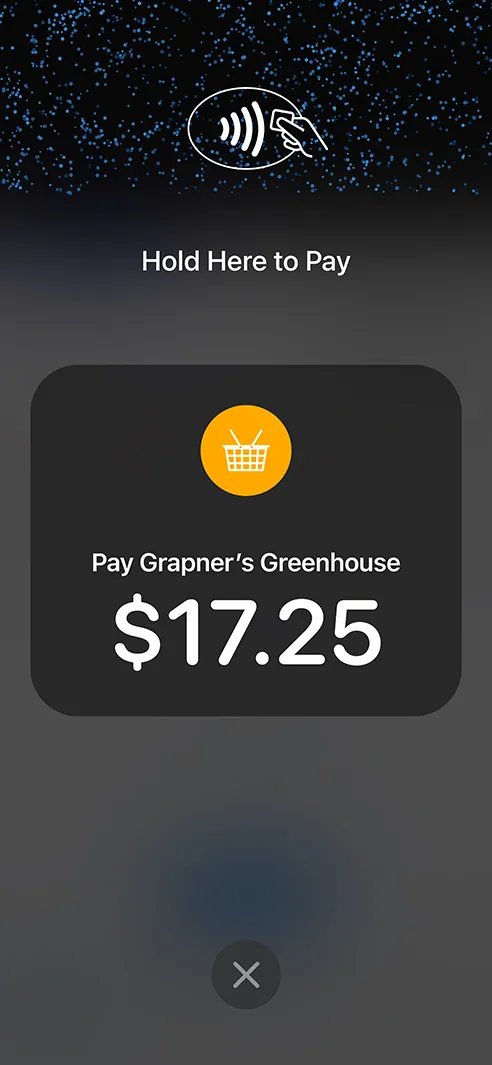
Turn your iPhone into a mobile credit card reader.
Accept physical debit and credit cards, Apple Pay, and other digital wallets using only an iPhone.
No additional hardware or terminals needed! It’s easy, secure, and private.
Please note you must be running the most recently available version of iOS to use Tap to Pay on iPhone.
To connect, tap the reader icon in the app or go to the Main Menu > Card Readers.
If your device is supported, you should see the option to connect a Built-In reader type.
Tap that to connect the same way you would any other card reader. You will see “Apple Built-In” as the reader option.
*Some countries in Stripe Beta for this feature. Please keep an eye on Stripe’s list of supported regions as it continues to grow.
Start using Tap to Pay on iPhone today.


Explore More Features
Tap to Pay on Android
Turn your Android device into a mobile credit card reader. No hardware needed.
Collect for Readers
Run Collect as an on-reader app on your S700 or S710. No phone or tablet required.
Contactless Payments
Support for Bluetooth readers like the Stripe Reader M2 and WisePad 3.
Tipping
Just set your Payment Flow to 'Ask'. Customize your tip percentages.
Interac Payments
Full support for Interac Debit in Canada.
Authorize-Only Charges
Reserve funds on a card now and capture them later.
Tax Rates
Import Stripe Tax Rates or create your own.
Custom Receipts
Add your logo, website, and custom footer message to email receipts.