Simulate a Reader
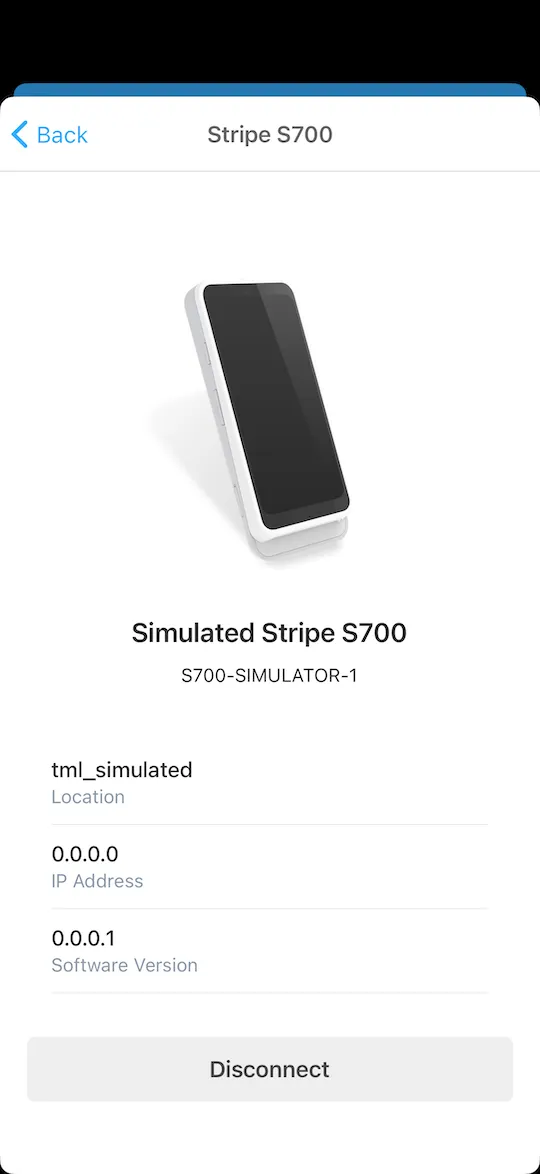
Test your full payment flow before buying physical hardware.
Don’t have a card reader handy? You can Simulate a Reader (in Test Mode) to test the entire checkout experience right on your device.
Test Card Notes
• No Test Card is required when simulating a reader.
• When connected to a real, physical reader in Test Mode, you will want to use a Test Card.
What is a Simulated Reader?
A Simulated Reader behaves exactly like a physical Stripe Terminal reader but runs entirely in software. It allows you to:
- Test connectivity and device discovery
- Simulate card dips, swipes, and taps
- Verify payment flows including tipping and receipts
- Train staff on the checkout process without needing hardware
How to Use
- Ensure you are in Test Mode (Settings > Test Mode).
- Go to the Card Readers screen.
- Tap “Simulate a Reader”.
- Proceed with a charge as usual. When prompted to present a card, the simulator will appear, allowing you to choose a test card outcome (Attributes, Decline, etc.).
Always 100% Free
All Test Mode transactions are completely free to use. Simulating a reader is the simplest, most cost-effective way to ensure your Collect for Stripe integration is working perfectly before investing in hardware.
Start using Simulate a Reader today.


Explore More Features
Tap to Pay on Android
Turn your Android device into a mobile credit card reader. No hardware needed.
Tap to Pay on iPhone
Turn your iPhone into a mobile credit card reader. No hardware needed.
Collect for Readers
Run Collect as an on-reader app on your S700 or S710. No phone or tablet required.
Contactless Payments
Support for Bluetooth readers like the Stripe Reader M2 and WisePad 3.
Tipping
Just set your Payment Flow to 'Ask'. Customize your tip percentages.
Interac Payments
Full support for Interac Debit in Canada.
Authorize-Only Charges
Reserve funds on a card now and capture them later.
Tax Rates
Import Stripe Tax Rates or create your own.