On-Reader Tipping
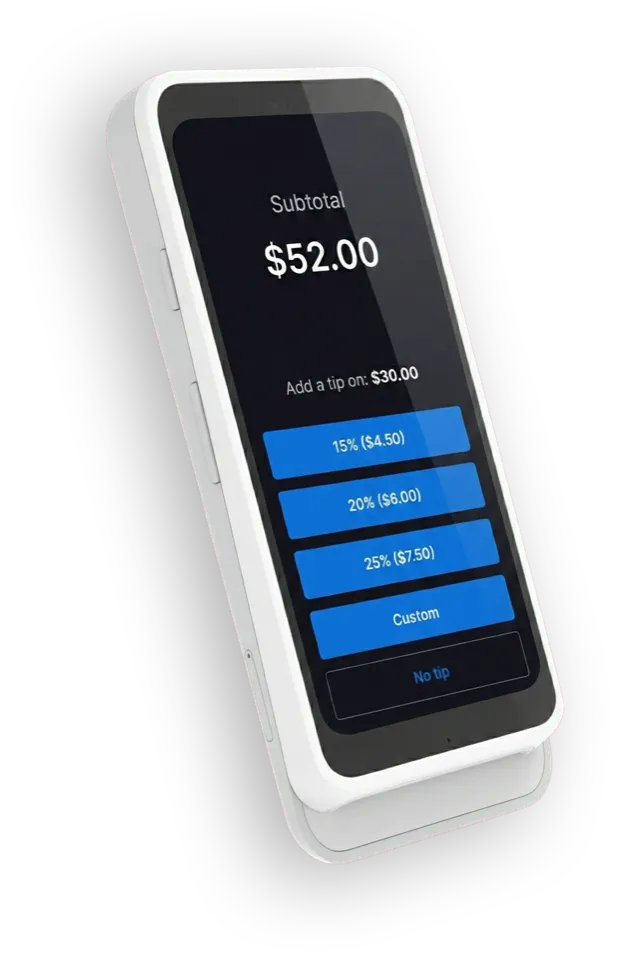
Let customers enter tips directly on the card reader.
On-reader tipping moves the last piece of your customer’s experience to the reader, for a totally frictionless checkout.
Instead of handing your mobile device to the customer to enter a tip amount, supported readers let the customer enter the tip directly on the reader.
Why On-Reader Tipping?
- More professional flow – Keep your phone or tablet in your hands
- Customer privacy – Customers enter their own tip without seeing your app UI
- Faster checkouts – The entire flow stays on the reader, right where the card is tapped or inserted
How It Works in Collect
If you already have Tipping enabled in your Payment Flow, connecting a supported reader (like the WisePOS E or Stripe S700) allows Collect to move the tip step onto the reader automatically.
When a capable reader is connected:
- Collect detects that the reader supports on-reader tipping
- We either use an existing Stripe Terminal configuration that enables on-reader tipping or create one for you
- The customer sees tip choices and enters the amount on the reader screen instead of your device
If you disconnect the reader or use a reader that does not support on-reader tipping, Collect falls back to your standard in-app tipping behavior.
Getting Started
- Enable Tipping in your Collect for Stripe Payment Flow
- Connect a supported Stripe Terminal reader (WisePOS E, Stripe S700, or other on-reader-tipping capable models)
- Run a test transaction in Test Mode to see the tip step appear on the reader
Note: When updating a reader configuration, it sometimes takes a minute or two for the change to take place.
For full details and supported readers, see Tipping settings in the official documentation.
Start using On-Reader Tipping today.


Explore More Features
Tap to Pay on Android
Turn your Android device into a mobile credit card reader. No hardware needed.
Tap to Pay on iPhone
Turn your iPhone into a mobile credit card reader. No hardware needed.
Collect for Readers
Run Collect as an on-reader app on your S700 or S710. No phone or tablet required.
Contactless Payments
Support for Bluetooth readers like the Stripe Reader M2 and WisePad 3.
Tipping
Just set your Payment Flow to 'Ask'. Customize your tip percentages.
Interac Payments
Full support for Interac Debit in Canada.
Authorize-Only Charges
Reserve funds on a card now and capture them later.
Tax Rates
Import Stripe Tax Rates or create your own.